
 Guild recruitment (MMO)
 MilSim unit recruitment
 Member applications
 Partnership requests
 Creator program
 Beta testers
 Ban appeals
Free
€0
forever, per server
- 1 open form, 5 questions
- Choices, checkboxes and files
- Conditions to apply (account age, roles)
- Unlimited applications
- Accept, decline, interview threads
- Dashboard and stats
- “Powered by Toscio” on the panel
Discord application bot
Members click Apply and answer your questions. Your staff accept or decline in one click — Toscio gives the role and tells the applicant. For whitelists, staff and guild recruitment, partnerships and more.

How it works
A clean panel in the channel of your choice. One click opens the form, right inside Discord.
Up to 25 questions, five per screen, with hints under each one. No website, no Google Form.
Each application lands in your staff channel with Accept, Decline (with a reason) and Interview, which opens a private thread.
Toscio gives the role you chose, removes the ones you want, and sends the result in the applicant’s language.
Setup
It only asks for what it needs. Never Administrator.
/setupPick a template, the panel channel, the staff channel and the role to give.
The Apply panel is posted. Customize everything later in the dashboard.
Use cases

Players apply from Discord with their character and backstory. Your staff accept or refuse in one click, Toscio gives the whitelist role and tells the player.
Read more →
Players send their Minecraft username, edition and motivation from Discord. You approve in one click, Toscio gives the role and messages them.
Read more →
A ready-made staff application, a review card for your team, private interview threads and roles given on acceptance. Your next mod is two clicks away.
Read more →
Players apply with their in-game name, rank, role and availability. Your captains review, invite to a tryout thread and accept in one click.
Read more →Dashboard
Questions, hints, limits, roles, messages. Saving updates the panel in Discord.
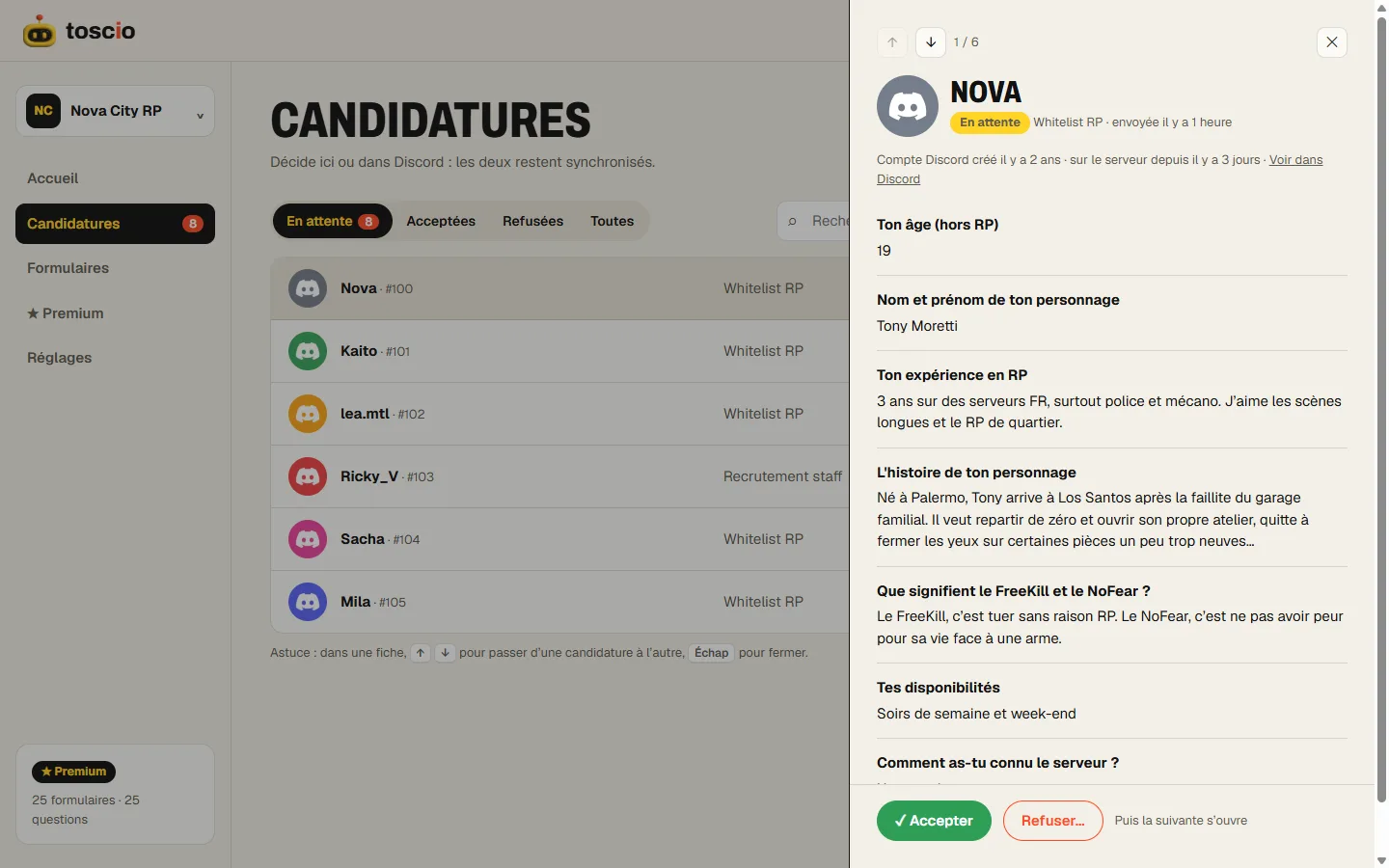
Search, filter, read full answers. Decide, and the next application opens by itself.
Pending applications, acceptance rate, median response time.
The dashboard is shown in French: the English version is on its way.
Open dashboard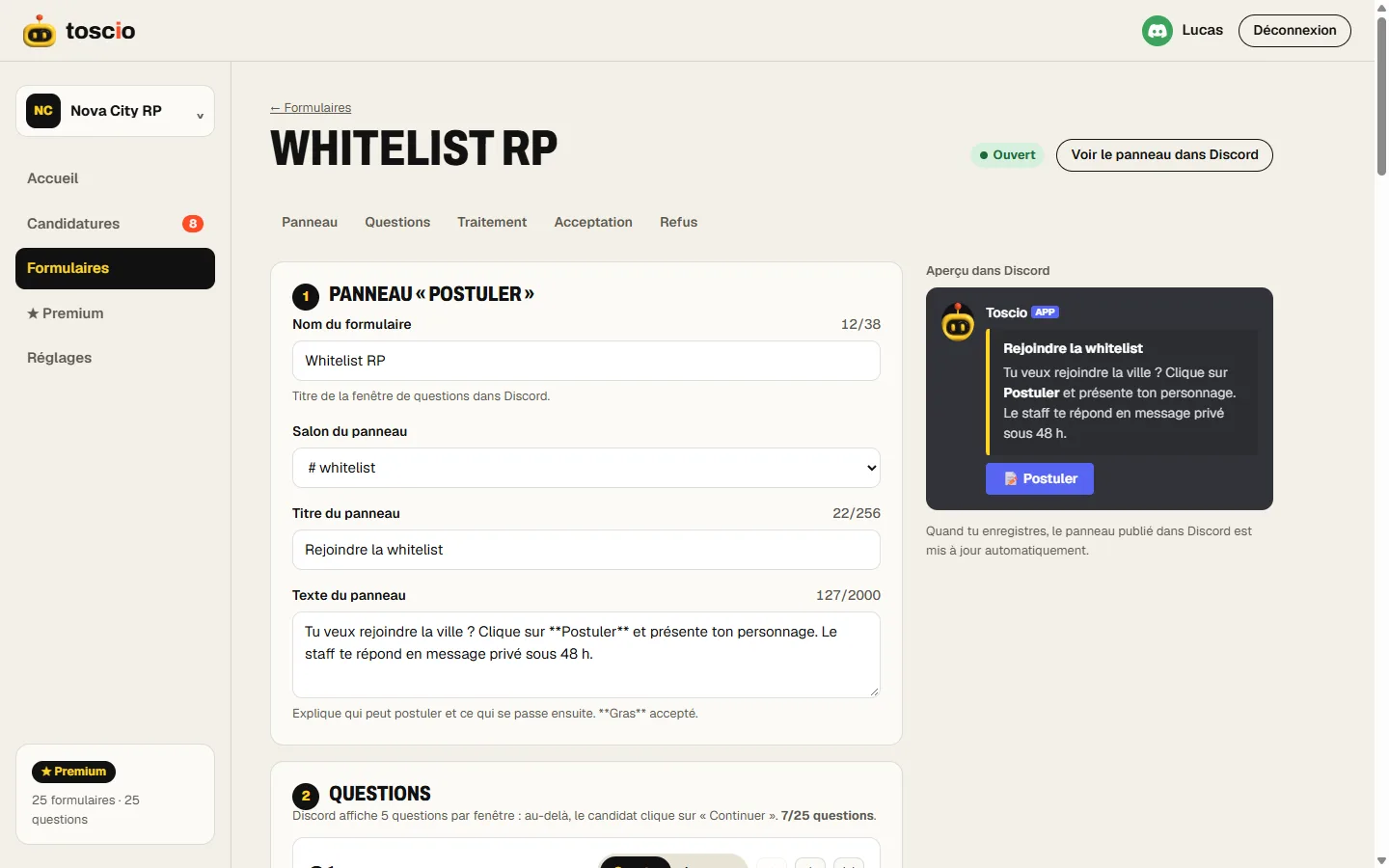
Features
Discord shows five per form: Toscio chains the steps for you.
Radio buttons, dropdowns, checkboxes and screenshots, right in the Discord form.
Minimum account age, time on the server, required or blocked roles. Bye, alt accounts.
Talk privately with an applicant before deciding.
For and Against on every card: the decision applies itself at your threshold. Premium.
Give the accepted role, remove “Applicant” or “Unverified”.
Results follow each applicant’s Discord language, with a one-click opt-out.
A shareable application page, and a fair way for banned members to appeal. Premium.
One pending application per member, and a cooldown after a refusal that you set.
Your applications in Excel or Google Sheets, in one click. Premium.
Decide in Discord or in the dashboard: both stay up to date.
Members can see, download or delete their data with /privacy.
Trust

Exactly what Toscio asks for, and why:
Stored in the EU (Paris), deleted automatically after the period you choose (1 year by default), and 30 days after Toscio leaves a server. Nothing is sold, no ads.

Made in Paris by Lucas Blanc. Questions or a bug? The support server answers.
Join the support serverPricing
€0
forever, per server
€49.90/ year
that’s €4.16 / month, billed yearly · per server · cancel anytime
Not ready? Vote on top.gg with /vote: 12 hours of Premium, every vote.
Yes. The free plan covers the whole application flow — panel, form with choices and files, conditions, review, roles, DMs, dashboard — with one open form of five questions. Premium adds more forms and questions, staff votes, the web form and CSV export.
View channels, send messages, embed links, attach files, manage roles, create private threads and send messages in threads. Never Administrator. Why each one.
Yes: on acceptance Toscio adds the roles you chose and can remove others. Its own role just needs to be above them in your server settings.
The decision still applies (role given). Your staff card shows the DM could not be delivered, so you can tell them another way.
True — so Toscio chains them: after five answers, the applicant clicks Continue and gets the next five, up to 25.
English and French today, following each member’s Discord language. More languages are coming.
In a database in the EU (Paris). Applications are deleted after the retention period you choose. Privacy policy.
Yes, in two clicks from the dashboard. Premium stays active until the end of the paid period, and nothing is deleted when it ends.
Add Toscio, run /setup, pick a template. That’s it.