
Apply before joining your Discord server
Free plan
Share a link instead of an invite. People apply with their Discord account, your staff decide, and accepted applicants join in one click with their roles.
- Free plan
- Free Premium trial
What it does
Most application bots start after someone has joined: the person needs an invite, lands on your server, and only then finds the form. That doesn't fit a private community, a partner program or a team that recruits from outside Discord.
With Open to people who aren't on the server yet, your web form accepts applications from anyone with a Discord account. You post a link where you would have posted an invite. Applicants see nothing of your server beyond the form page. When your staff accepts, the applicant gets a Join button on their page, Discord asks them to confirm, and Toscio adds them with the acceptance roles. Toscio then forgets that permission.
How it works
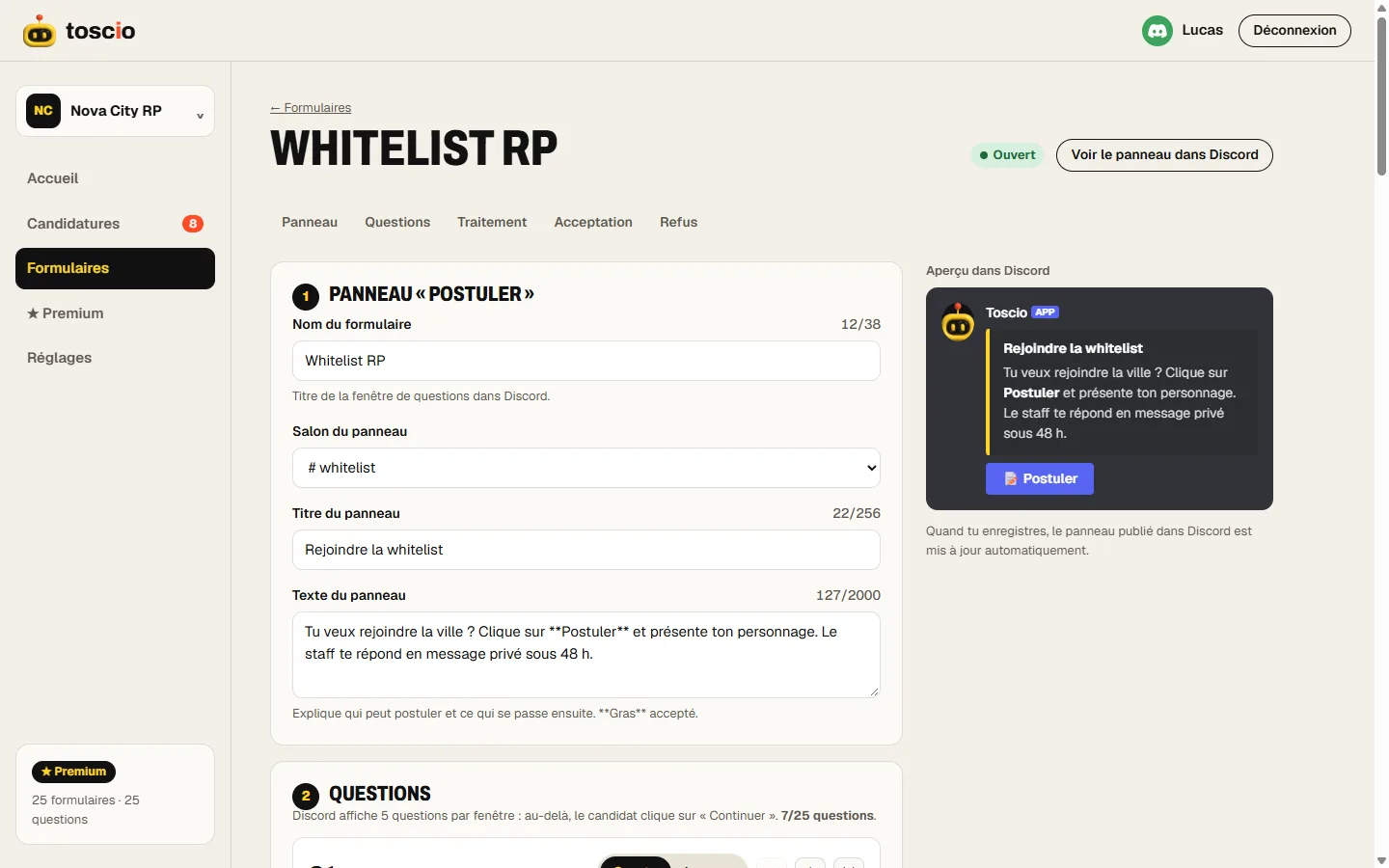
- Turn on the web form. In the form editor, under Advanced settings, turn on Offer the web form.
- Open it to non-members. Below it, turn on Open to people who aren't on the server yet, then save.
- Share the link. Put it on your website, a server listing or your socials. Your recruitment page lists it too.
- Review as usual. The application arrives in your staff channel. When you accept, the card says "🚪 Not on the server yet".
- They join. The applicant clicks the button on their page and comes in with their roles.
Who it's for
The server's size doesn't matter much here. What matters is whether the person you want is on your server yet.
- Member applications: a private community where nobody gets in without a review.
- Partnership requests: the owners who write to you are rarely members of your server.
- Creator programs: a link in a bio or a video description reaches people who've never seen your Discord.
- Recruiting for a team or a project from a website or a game page.
For staff recruitment among your own members, this option adds nothing: keep the form closed to the outside and use the panel, so that your conditions on time and roles apply.
What changes compared with a regular form
Someone who isn't on your server has no history with it, and that limits what Toscio can check.
| Member of your server | Not on the server yet | |
|---|---|---|
| Minimum account age | Applies | Applies |
| Time on the server | Applies | Applies once they're a member |
| Required or excluded roles | Apply | Apply once they're a member |
| Stage before acceptance | Available | Not available on this form |
| Interview thread | Available | They can't read it before they join |
| Cooldown after a decline, one pending application | Apply | Apply |
A form open to non-members has no stage. If you need a trial period, run it after they join, on a separate form, or accept them with a limited role and promote them yourself.
Limits
- Applicants need a Discord account. Toscio only reads their Discord ID, username and avatar when they log in.
- The bot must be able to create invites. It can with Administrator, the permission Toscio asks for when you add it.
- Discord can still refuse. A person banned from your server or a full server means the join fails, and the page says so.
- The answer shows on the page. Toscio can't always send a DM to someone it shares no server with, so tell applicants to come back to the same link.
Why not just use an invite link?
An invite gets people in first and asks questions later, which is fine for an open community. Once your server holds something you want to protect, such as a private channel or a team's strategy, you want the order reversed. The comparison with Discord's Apply to Join covers the built-in way of doing that, and where a bot goes further.
Questions
Is this the same as Discord's Apply to Join?
No. Apply to Join is built into Discord and asks questions before someone gets in. It gives no roles and has one form per server. Toscio adds roles on acceptance, several forms and a staff review channel. The comparison page shows when the built-in option is enough.
Is it free?
Yes, on the free plan, like the web form it is part of.
Can someone use the link to get in without being accepted?
No. The join button only appears on the applicant's page after your staff accepts them.
What if Discord refuses to add them?
The page tells the applicant to contact your staff. It can happen if they're banned, if your server is full, or if the bot can't create invites. Administrator includes that permission.
