
Discord web application form
Free plan
Turn a Discord form into a public page: applicants log in with Discord, answer everything on one page, and your staff review it like any other application.
- Free plan
- Free Premium trial
What it does
A Discord application form opens inside Discord, five questions at a time. That's the right choice for people already on your server. It doesn't help when the person you want to reach is on your website, in a video description or on a server listing.
Turn on the web form and the same form also gets a public address, app.toscio.com/apply/<form id>. The link never changes, so you can put it anywhere. Applicants log in with Discord, see every question on a single page, send their application, and come back to the same link to read the answer.
For your staff, nothing changes. A web application lands in the staff channel with the same card and the same buttons, and the footer of the card says "web form". Accept, decline, interview, stage, notes and roles all work as usual.
How to turn it on
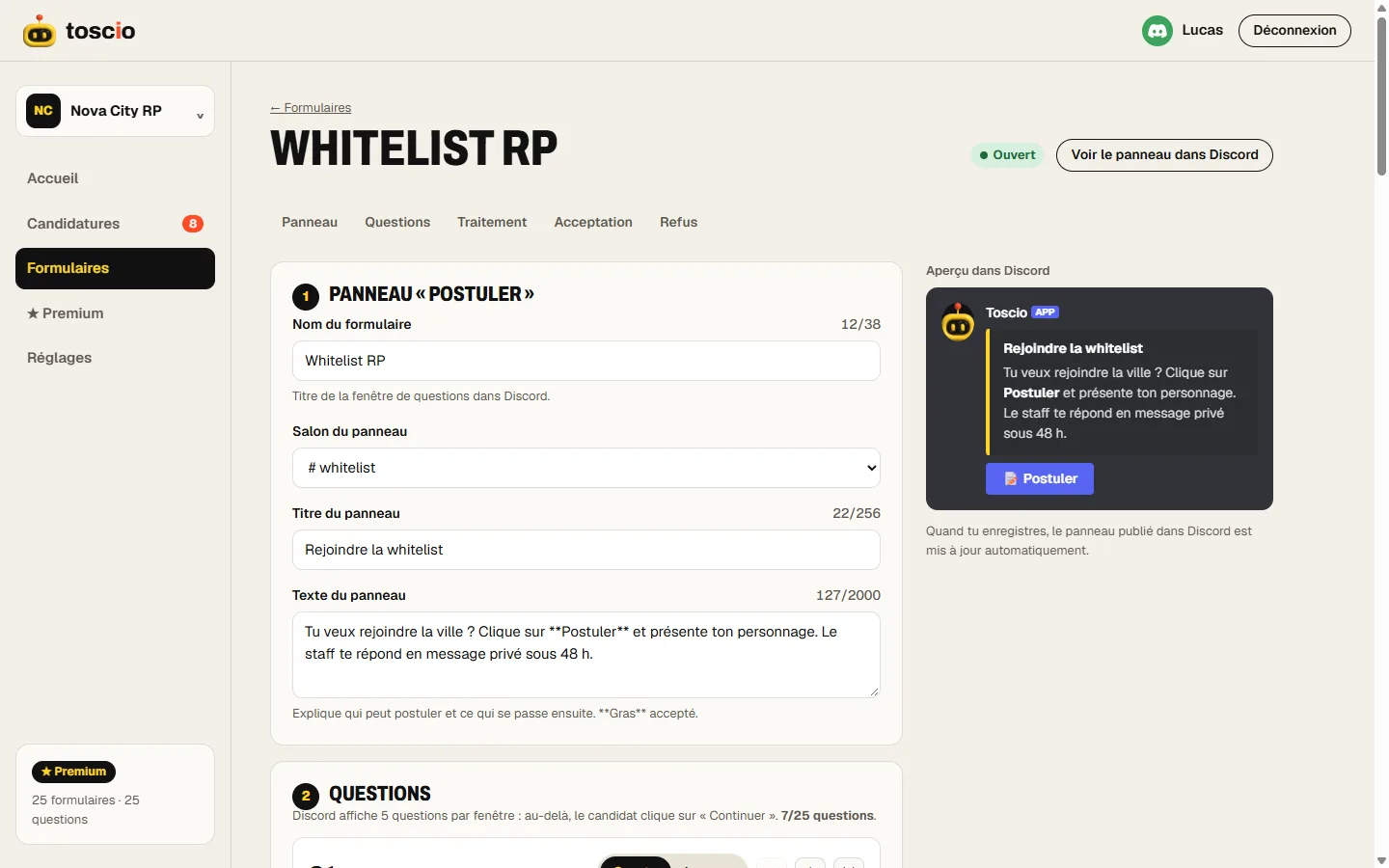
- In the dashboard, open Forms and click Edit on your form.
- Under Advanced settings, open Web form and turn on Offer the web form.
- Click Save, then copy the link that appears below the switch.
Your panel in Discord gets a second button, Apply on the web. Turn the switch off and both the page and the button go away.
When it's the better option
- Long forms. In Discord, applicants click Continue every five questions. On the web, they see the whole form at once and know how long it will take.
- People outside your server. With apply before joining, a link on your website is enough, and acceptance brings them in.
- Banned members. They can't see your server anymore, so a ban appeal has to happen on a web page. Toscio checks the ban and lifts it on acceptance.
- Uploading files. Someone attaching a portfolio or a screenshot from a computer has an easier time in a browser.
If your whole audience is already on the server and your form is short, the Discord panel alone is simpler. There's no need to add a step.
Your recruitment page
As soon as a form offers the web form, your server gets a public page at app.toscio.com/r/<server id>. It shows your server's name and icon, then each open web form with its title, its text and an Apply button. Ban appeals are never listed there.
In the dashboard, the Recruitment page gives you the link. Type where you'll post it ("youtube", "website", "partner") and Toscio makes a separate link for that place, with a message ready to post. Each application remembers which link it came from. The free plan shows the total and your top source. Premium shows every source, and how many accepted people are still there after 30 and 90 days, from 5 people and never person by person.
The same rules as in Discord
The web form is not a side door. A web application goes through the same checks as the Apply button: your conditions to apply, the cooldown after a decline, and one pending application per form, whether it was sent from Discord or the web. If someone can't apply, the page says why, with the same message they would get in Discord.
Limits
- Discord login is required. Nobody can apply anonymously, which is the point: your staff knows which account applied.
- 4 MB of files in total per web application. Ask for images rather than videos.
- Paused forms stay paused. A form outside your plan's limits, for example a third form on the free plan, doesn't accept applications on the web either.
- The page is in your form's words. The interface follows the applicant's language, among Toscio's 8 languages, but your questions stay as you wrote them.
Exact labels and the full steps are in the help page on the web form and ban appeals.
Questions
Can I put my Discord application form on a website with Discord login, without coding?
Yes. Turn on the web form in the dashboard and Toscio hosts the page for you, at app.toscio.com/apply/ followed by your form's ID. Discord login is already built in: no code, no hosting and no Discord developer app to create. Link to it from your website, a server listing or a video description.
Is this like Google Forms, Tally or Jotform?
Only in part: they are all web pages with questions. The differences come after Submit. Applicants log in with Discord, so your staff sees the real account. The application is reviewed in Discord with Accept and Decline buttons, Toscio gives the roles on acceptance and sends the decision by DM. Tally and Jotform can post responses in a Discord channel, but their Discord integration pages don't mention a Discord login for respondents or roles (checked 7 November 2026). For a survey with branching, a general form builder is the better tool. Full comparison.
Do applicants need to be on my server?
For a regular form, yes: the web form follows the same rules as the Discord panel. Turn on Open to people who aren't on the server yet and anyone with a Discord account can apply; once accepted, they join in one click with their roles. See apply before joining. Ban appeals are the other exception.
Can I see where applicants come from?
Yes. On the Recruitment page of the dashboard, make one link per place you post (a video, your website, a partner server). Toscio counts applications and acceptances for each link. The free plan shows the total and your top source; Premium shows every source.
Is the web form free?
Yes. The web form, ban appeals and forms open to non-members are all part of the free plan. Nothing about the web form stops when a Premium trial ends.
Do applicants need a Discord account?
Yes. They log in with Discord so your staff knows who applied. Toscio only gets their Discord ID, username and avatar: not their servers, not their messages.
Does the web form replace the Discord panel?
No. It's an extra way in. The panel keeps working and gets a second button, Apply on the web. You can use one, the other, or both.
Will my recruitment page show up on Google?
No. The web form and the recruitment page live on app.toscio.com and aren't indexed. They are addresses you share yourself.
